
A classic writing tool that balanced power and simplicity
Microsoft Word 2010 represents one of the most widely used versions of Microsoft’s word processing software, arriving at a time when productivity tools were transitioning toward modern interfaces while still prioritizing desktop performance. Built as part of Microsoft Office 2010, the application refined the Ribbon interface introduced in earlier releases and made it more practical for everyday users.
Top Recommended Alternative

For many professionals and students, Microsoft Word 2010 became the foundation of digital writing thanks to its stability and familiarity. Even today, it remains remembered for its balanced productivity design, offering strong features without overwhelming complexity.
A trusted choice for document creation and editing
Microsoft Word 2010 introduced improvements that made document creation more efficient without changing the familiar workflow users depended on. Features such as enhanced Styles, Navigation Pane, and improved paste preview allowed writers to organize long documents more easily. These additions supported efficient document formatting, helping users maintain consistency across reports, research papers, and professional documents. The software also included SmartArt graphics, improved image editing tools, and better table customization, allowing users to create visually polished files.
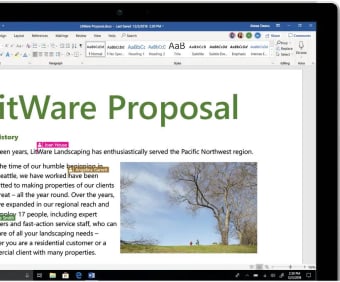
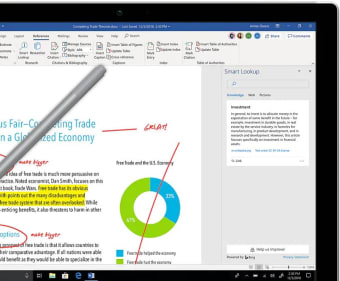
Word 2010 strengthened collaboration through improved Track Changes and commenting tools, making it easier for teams to review documents together. Multiple reviewers could leave feedback clearly, supporting structured document review workflows commonly used in academic and corporate environments. Although collaboration features were effective for local file sharing, they relied heavily on email or shared drives rather than real time editing. Unlike modern cloud-based versions, simultaneous editing was not seamless.
Performance and everyday reliability
Microsoft Word 2010 no longer receives feature updates or security patches. Microsoft officially ended extended support for Office 2010 on October 13, 2020, meaning the software does not receive modern security fixes or compatibility improvements. The final updates focused on stability fixes, minor bug resolutions, and security patches addressing vulnerabilities discovered during its support lifecycle. While the application remains functional offline, the lack of ongoing maintenance highlights its status as legacy software.
Still, one of Word 2010’s most appreciated qualities was its performance efficiency. The application launched quickly and handled long documents reliably without demanding powerful hardware. Autosave and document recovery features reduced the risk of losing work, reinforcing stable offline performance that many users still value today. However, compatibility with newer file formats and modern cloud services has gradually become more challenging. As operating systems evolve, users may also encounter occasional compatibility warnings or missing integrations.
The everyday standard for modern writing
Microsoft Word continues to prove why it remains the default choice for document creation across schools, businesses, and personal use. Its blend of familiar tools, powerful formatting, and evolving collaboration features keeps it relevant in a changing digital workspace. While advanced options and cloud reliance may not suit everyone, Word still delivers a dependable writing environment that balances tradition, productivity, and modern workflow demands effectively.